
Download Pando – large file transfer, file sharing, P2P, secure sharing, instant links, big file sharing, file transfer tool, Pando Networks
Overview
Pando is a mobile application designed to simplify the transfer of large files and folders across devices, addressing a persistent challenge in digital communication: the inefficiency and limitations of traditional file-sharing methods. By leveraging a peer-to-peer (P2P) architecture, Pando enables rapid, secure transfers between users who have the application installed. The app is particularly useful for professionals, creatives, and teams handling high-resolution media, software packages, or large project files that exceed standard email or cloud service limits.
Target users include content creators, remote teams, educators, and anyone who regularly exchanges large digital assets. The application’s foundation in Pando Networks suggests a focus on scalable, low-latency data transfer solutions. Although the developer did not provide additional technical details about server infrastructure or encryption protocols, the app’s core functionality centers on speed, reliability, and ease of use.
Real-world use cases include sharing video footage between editors, distributing software updates, or transferring large design files between collaborators. In the broader app ecosystem, Pando occupies a niche where speed and direct transfer efficiency are prioritized over broad compatibility. Its long-standing presence since 2011 underscores its relevance in an evolving digital landscape where file size continues to grow.
Key Features & Functionality
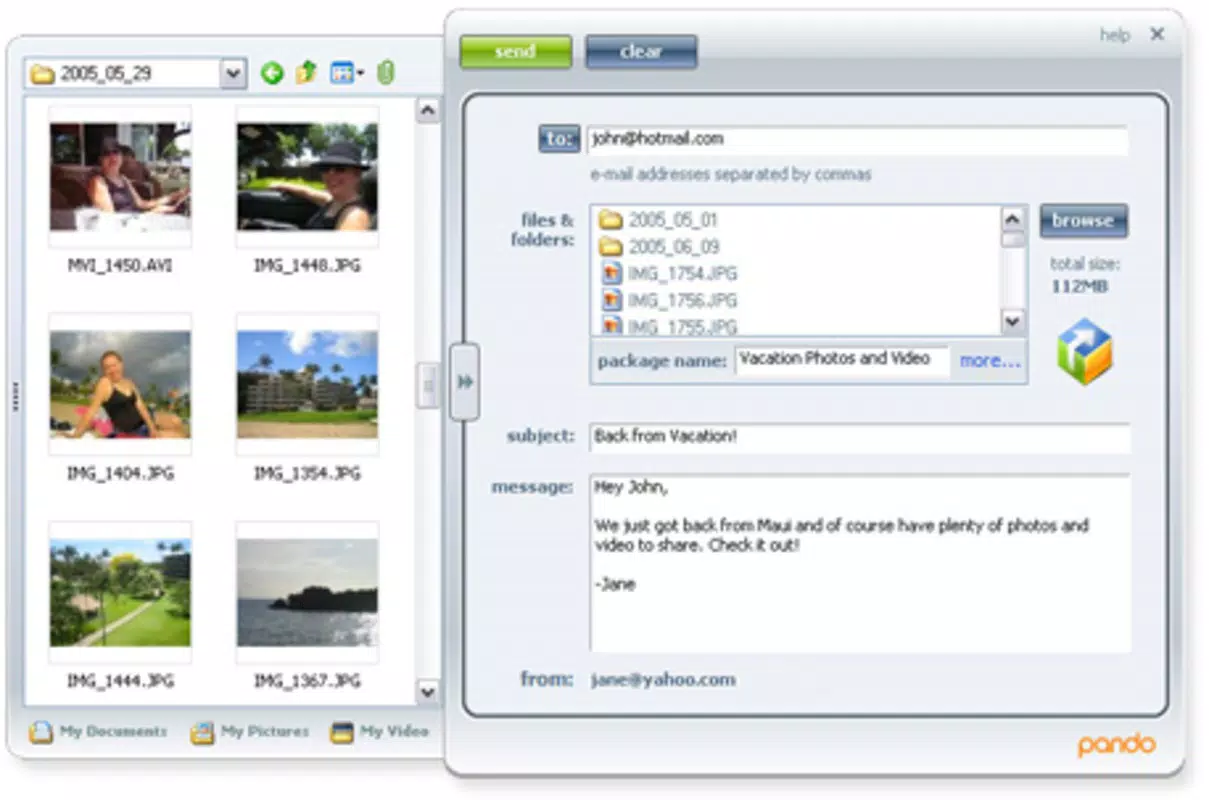
- Easy File Sharing: Users can upload files directly to Pando’s secure servers with minimal steps. Once uploaded, the app generates a shareable link and password, streamlining the process for recipients.
- Free Signup: Access to Pando’s core features requires no payment. A simple registration allows users to begin transferring files immediately, removing financial barriers to adoption.
- Instant Download Links: After upload, users receive a real-time download link. Recipients can access the file directly via the link without needing to download additional software.
- P2P Convenience: Pando operates on a peer-to-peer model, enabling direct transfers between users when both have the app installed. This reduces reliance on centralized servers and can enhance transfer speeds.
- Speed and Originality: The app emphasizes fast, innovative transfer methods. While the exact technical implementation is not disclosed, the P2P approach is central to its performance claims.
For example, a video editor can upload a 10GB raw footage file, generate a secure link, and share it with a colleague. If the colleague also uses Pando, the file transfers directly between devices, minimizing latency and bandwidth usage. This functionality is ideal for time-sensitive projects where traditional cloud services may struggle with upload times or file size restrictions.
Interface, UX & Performance
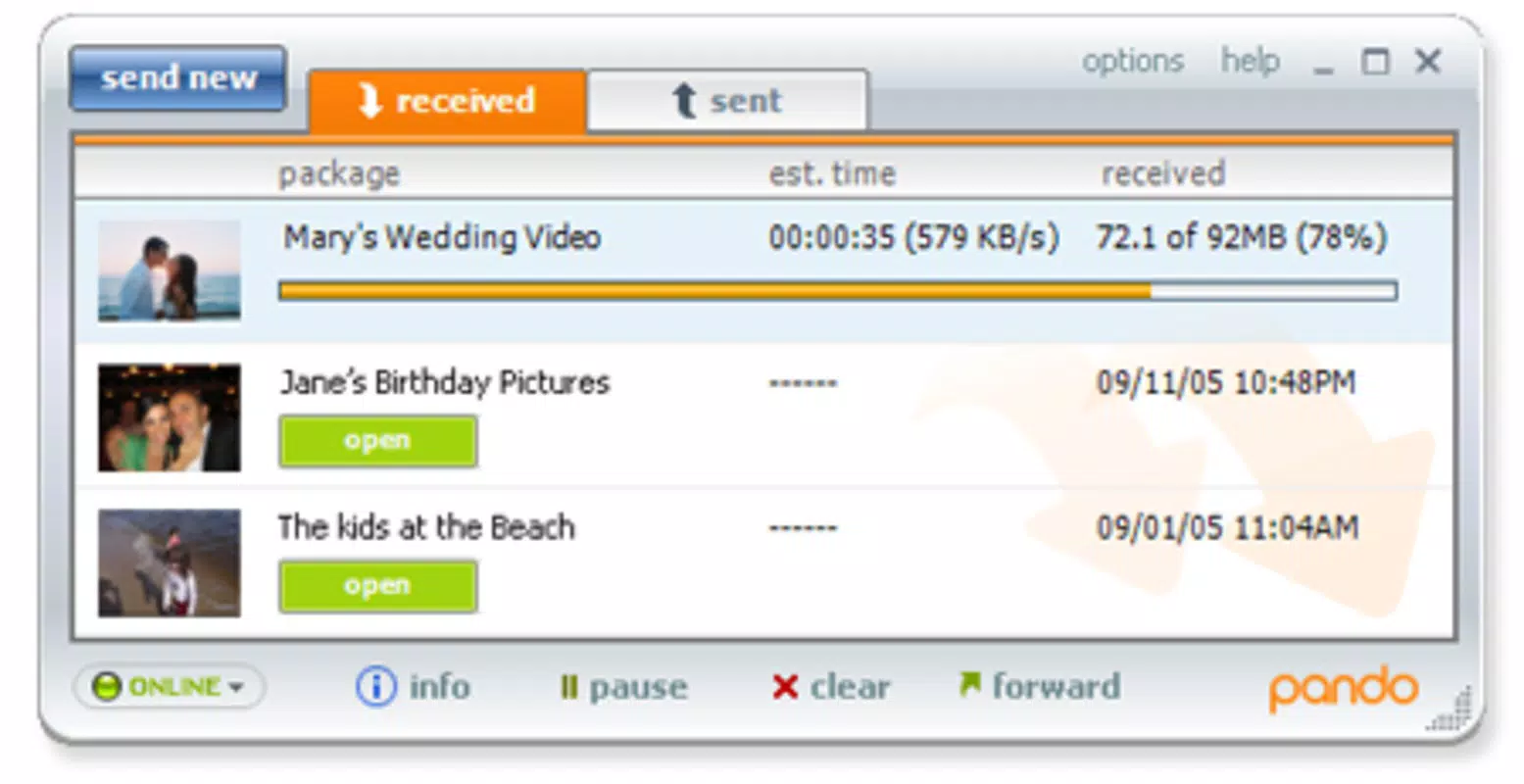
The user interface of Pando appears to prioritize simplicity and direct access to core functions. Navigation likely centers around a clean dashboard where users can initiate uploads, view transfer history, and manage shared links. Visual design elements suggest a functional, no-frills aesthetic focused on usability rather than ornamentation.
Navigation flow is expected to be linear: upload → generate link → share → download. This straightforward structure reduces cognitive load and supports quick task completion. The app’s performance is likely optimized for mobile environments, though specific metrics were not provided. Although the developer did not list formal performance metrics, the P2P model implies efficient use of available bandwidth and device resources.
Responsiveness and stability are critical for file transfer applications. While real-world user feedback was not included in the provided data, the app’s continued availability since 2011 indicates a baseline level of reliability. Users should expect consistent behavior during upload and download operations, especially when both sender and recipient are using the same platform.
Platform Compatibility & Technical Requirements
Pando is available on both Android and iOS platforms, ensuring broad accessibility across major mobile ecosystems. The current version is 2.0.2, with a file size of 12.7 MB, indicating a lightweight footprint suitable for most modern smartphones. The app is free to download and use, with no in-app purchases or subscription tiers mentioned.
Compatibility information was not fully disclosed. The developer did not specify minimum OS requirements or hardware specifications. Users should verify system compatibility with their device’s operating system version. Although the app has been in use since 2011, recent updates may have introduced changes that affect older devices. It is recommended to check the app store listing for the latest compatibility details.
Pros and Cons
Pros
- Free to use with no hidden fees or subscription models.
- Efficient large file transfer via a peer-to-peer network.
- Instant link generation for immediate sharing.
- Secure file sharing with password protection.
- Lightweight application at 12.7 MB, suitable for mobile storage.
Cons
- Recipients must also have Pando installed to benefit from P2P speeds.
- Platform compatibility details were not specified.
- No information on encryption standards or data retention policies.
- Long release date may suggest limited recent updates.
- Dependence on both parties using the same app may limit broader adoption.
FAQ
Is Pando safe to use for transferring sensitive files?
While the app offers password-protected links, specific encryption details were not provided. Users should assume that file security is managed through the app’s internal systems, but no third-party audits or certifications were mentioned.
Can I use Pando on both Android and iOS devices?
Yes, Pando is available on both Android and iOS platforms, allowing cross-platform file sharing between users on different operating systems.
Do I need to pay to use Pando?
No, Pando is completely free to download and use. There are no in-app purchases or premium tiers disclosed in the provided information.
What happens if the recipient doesn’t have Pando installed?
If the recipient does not have Pando installed, they may still access the file via the shared link, but the full P2P transfer speed will not be available. The file will be downloaded from the server instead.
How often is Pando updated?
The last release date was November 30, 2011. While the app remains available, the frequency of updates has not been disclosed. Users should check the app store for the most current version.
Final Thoughts
Pando remains a notable solution in the realm of large file transfer, offering a straightforward, free method for sharing big files via a peer-to-peer network. Its focus on speed, simplicity, and secure sharing makes it a valuable tool for users who frequently exchange large digital assets. While its age and limited compatibility details may raise questions about ongoing support, the app’s core functionality continues to serve a specific, practical need.
Professionals in media, software development, and remote collaboration stand to benefit most from its efficient transfer model. For those seeking a lightweight, no-cost tool that bypasses the limitations of email and standard cloud services, Pando delivers a compelling alternative.
Despite its age, Pando’s design and purpose remain relevant in a world where file sizes continue to grow. Download Pando now to experience a fast, secure, and direct way to share large files across devices.


